
In today’s fast-paced digital world, efficient document management is no longer just an advantage—it’s a necessity. Whether you are a student, a professional, or running a business, organizing, editing, and sharing documents seamlessly can significantly improve productivity. This is where WPS Office comes into play. With its versatile suite of tools and user-friendly interface, WPS Office is redefining the way individuals and organizations handle documents.
A Comprehensive Suite for All Your Document Needs
One of the most compelling reasons to adopt WPS Office is its all-in-one approach. Unlike other software that requires separate applications for word processing, spreadsheets, and presentations, WPS Office integrates these functionalities into a single platform. This integration ensures that users can switch between tasks effortlessly, reducing the time wasted on juggling multiple programs.
The word processing feature of WPS Office is comparable to any leading office suite. It allows users to create, edit, and format documents with precision. Advanced tools like spell check, grammar correction, and customizable templates make document creation smooth and professional. For those dealing with data, WPS Office’s spreadsheet module provides robust capabilities for calculations, data analysis, and visualization. Meanwhile, the presentation tool offers intuitive design options that help in crafting compelling slideshows without the steep learning curve often associated with other software.
Seamless Compatibility Across Platforms
Another remarkable advantage of WPS Office is its compatibility. It supports multiple file formats, including Microsoft Office formats such as DOCX, XLSX, and PPTX, ensuring that users can open and edit files without worrying about compatibility issues. This is particularly useful for professionals collaborating with clients or colleagues who may be using different office software.
In addition, WPS Office is available on a variety of platforms, including Windows, macOS, Linux, Android, and iOS. This cross-platform availability ensures that your documents are accessible wherever you go. For instance, you can start working on a document on your laptop, continue editing it on your smartphone during a commute, and finalize it on a tablet—all without losing formatting or data.
Cloud Integration and Storage
In modern document management, cloud storage is essential. WPS Office offers seamless integration with popular cloud services such as Google Drive, Dropbox, and OneDrive. This allows users to store documents securely, access them from any device, and collaborate in real-time. The cloud functionality also provides an added layer of security, ensuring that your important files are backed up and protected against accidental loss.
Collaboration is further enhanced by features like document sharing and simultaneous editing. Multiple users can work on the same document at the same time, making it ideal for teams, classrooms, and remote work environments. Changes are updated in real-time, reducing confusion and improving overall efficiency.
User-Friendly Interface
A tool is only as effective as its usability, and WPS Office excels in this area. Its clean and intuitive interface allows both beginners and experienced users to navigate the software effortlessly. The ribbon-style toolbar organizes functions logically, while customizable menus provide quick access to frequently used tools. Users can also personalize their workspace by choosing themes and layouts that match their workflow preferences.
Additionally, WPS Office offers a tabbed view for documents, which is a significant improvement over traditional office software. With tabs, you can open multiple documents in a single window and switch between them easily, much like browsing the internet. This feature not only saves screen space but also enhances multitasking efficiency.
Cost-Effective Solution
Unlike other premium office suites that come with hefty subscription fees, WPS Office provides a cost-effective solution without compromising on features. It offers a free version with robust capabilities, while the premium version unlocks advanced tools such as PDF editing, advanced templates, and additional cloud storage. This affordability makes it accessible to students, freelancers, and small businesses who may have limited budgets but require professional-grade document management tools.
Advanced PDF Management
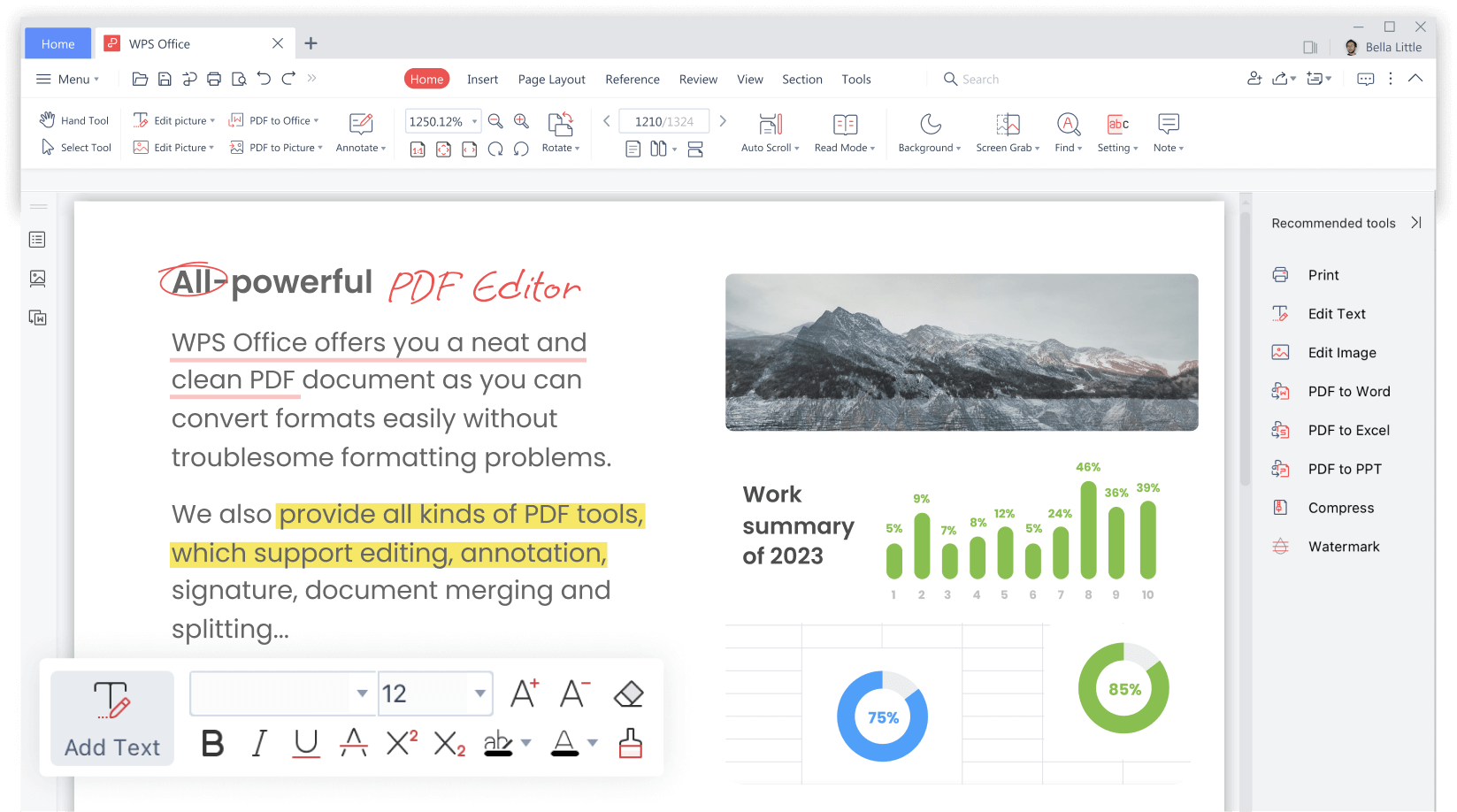
PDF files are a staple in professional documentation, and WPS Office provides extensive PDF management features. Users can convert documents to PDF, merge multiple PDFs, split files, and even annotate PDFs directly within the software. This eliminates the need for separate PDF tools, streamlining your workflow and saving time. For businesses that rely heavily on document exchange in PDF format, this functionality is particularly beneficial.
Enhanced Productivity with Templates and Tools
Efficiency is further boosted by WPS Office’s wide range of templates and productivity tools. From resumes and invoices to business reports and presentations, WPS Office provides ready-made templates that save time and maintain professional standards. The software also includes features like document encryption, password protection, and watermarking to ensure sensitive information remains secure.
Moreover, WPS Office incorporates smart tools such as a built-in spell checker, grammar suggestions, and document statistics. These features not only improve accuracy but also assist in creating polished documents with minimal effort.
Mobile and Offline Functionality
In addition to its desktop capabilities, WPS Office offers powerful mobile apps that mirror the desktop experience. This means users can edit, create, and share documents on the go without compromising functionality. The mobile apps also support offline editing, allowing users to work in areas without internet connectivity and sync changes later.
Conclusion
In conclusion, WPS Office is more than just an office suite—it is a transformative tool for modern document management. Its comprehensive features, cross-platform compatibility, cloud integration, user-friendly interface, cost-effectiveness, and advanced PDF management make it an indispensable solution for students, professionals, and businesses alike. By streamlining document creation, editing, collaboration, and storage, WPS Office empowers users to work more efficiently and effectively.
Adopting WPS Office can significantly enhance your productivity, simplify your workflow, and ensure that your documents are always accessible, secure, and professionally presented. In an era where time is precious and organization is key, WPS Office stands out as a reliable and versatile tool that truly transforms the document management experience.